


GPS Tracker Maintenance: Keep Your Device Working Reliably
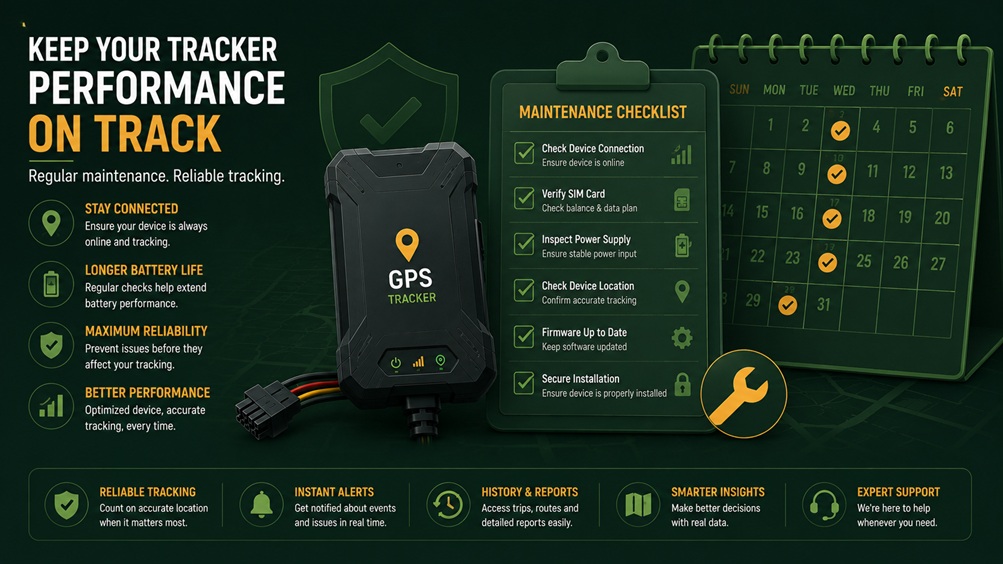
GPS Tracker Maintenance: Keep It Working Reliably
A tracker only protects you if it's actually working. A few simple habits keep your device reliable year-round, without much effort.
Once installed, most GPS trackers get forgotten about entirely — which is exactly how people discover, often at the worst possible moment, that theirs quietly stopped working weeks or months earlier. A small amount of regular maintenance prevents this, and none of it requires technical expertise. Here's what actually matters and how often to check it.
🗓️ A Simple Maintenance Rhythm
Monthly
Quick app check — confirm the device is reporting normally and location updates look accurate.
Every 3 Months
Test backup battery function and check SIM/subscription status is still active.
Every 6 Months
Physically inspect mounting and wiring for any looseness, corrosion, or wear.
Seasonally
Check weatherproofing before extreme heat or monsoon season, depending on your region.
🔋 Battery Care
For battery-powered trackers, consistent charging habits matter more than most people expect. Letting a battery repeatedly drain to zero before recharging tends to degrade its capacity faster over time compared to more frequent, partial charging — a pattern true of most rechargeable battery technology, not unique to GPS trackers specifically.
🔧 Physical Inspection
A tracker's mounting and wiring, particularly for wired installations, benefit from an occasional physical check — especially after any vehicle maintenance work that involved accessing the dashboard, wiring, or electrical system, since technicians unfamiliar with the tracker's presence can sometimes accidentally disturb its connection.
- Check mounting security — confirm the device hasn't shifted or loosened, particularly after rough terrain or off-road driving.
- Inspect visible wiring — look for any fraying, corrosion, or loose connections at accessible points.
- Confirm the device still transmits from its current position — a shifted mount can sometimes affect GPS signal reception even if the physical connection remains intact.
📱 App and Software Maintenance
🌦️ Seasonal Considerations
| Season/Condition | What to Check |
|---|---|
| Extreme Summer Heat (Gulf) | Confirm mounting position avoids direct, prolonged sun exposure; check for any heat-related performance issues. |
| Monsoon Season (Bangladesh) | Verify weatherproof sealing is intact, particularly for motorcycle installations exposed to heavy rain. |
| Dusty/Desert Conditions | Check for dust accumulation around any exposed ports or seals, particularly after off-road use. |
| Before Long Trips | Test live tracking and offline logging capability in advance, rather than assuming it will work when needed. |
🚩 Warning Signs Worth Investigating
- Location updates becoming less frequent than usual, even if the device still shows as "online."
- Battery draining noticeably faster than it used to, which can indicate a failing battery or a signal-hunting issue.
- Location accuracy declining, showing the vehicle in clearly wrong positions more often than before.
- Any physical damage to the device casing or visible wiring after an accident, rough terrain, or vehicle maintenance work.
None of these individually mean the device has failed entirely, but any of them showing up consistently is worth investigating with the troubleshooting steps covered in our separate troubleshooting guide, or reaching out to your provider's support team directly if the issue persists.
🏢 Maintenance for Fleet Operators
For businesses managing tracking across multiple vehicles, maintenance becomes an operational process rather than something one person remembers to do occasionally. Building a simple recurring checklist — monthly dashboard review across all vehicles, quarterly battery and subscription checks, and a physical inspection schedule tied to routine vehicle servicing — turns tracker maintenance into a predictable part of fleet operations rather than something that only gets attention after a device has already failed.
Assigning clear ownership of this process to a specific person or team also matters considerably at fleet scale, since "someone will check on it eventually" tends to mean no one actually does, particularly as a fleet grows beyond a handful of vehicles that any single person can informally keep track of.
❓ Frequently Asked Questions
How often should I really check that my tracker is working?
A quick monthly glance at the app to confirm normal reporting is a reasonable baseline for most personal vehicle owners, with a more thorough check — backup battery test, physical inspection — every few months. For theft-protection-critical use cases, checking slightly more frequently provides additional peace of mind, though monthly is generally sufficient to catch most issues before they become a real problem.
Does regular maintenance actually extend the device's lifespan?
Yes, particularly for battery-powered units, where consistent charging habits and avoiding extreme heat exposure genuinely help preserve battery capacity over time. For wired units, periodic physical inspection helps catch minor wiring issues before they develop into a complete connection failure.
Should I schedule tracker maintenance alongside regular vehicle servicing?
This is a genuinely convenient approach, since you're already accessing the vehicle for other maintenance and can easily add a quick tracker mounting and wiring check to the same visit, rather than treating it as an entirely separate task requiring its own dedicated time.
🧰 Building a Simple Maintenance Log
For anyone managing more than one or two vehicles, or simply wanting a more reliable system than remembering checks informally, keeping a basic maintenance log — even a simple note on your phone or a shared spreadsheet — pays off considerably over time. Recording the date of each check, what was verified, and any issues found creates a useful history that makes it much easier to spot patterns, like a battery that's started degrading faster than before, or a mounting point that keeps loosening after certain types of trips.
This log doesn't need to be elaborate — a simple date, device identifier, and a one-line note covering what was checked is usually sufficient for personal use. For fleet operators, a slightly more structured version tracking each vehicle separately becomes genuinely valuable both for catching developing issues early and for demonstrating a documented maintenance process if it's ever relevant to an insurance claim or internal audit.
Is professional servicing ever necessary, or can I handle maintenance myself?
Most routine maintenance — app checks, battery testing, basic visual inspection — is straightforward enough for any owner to handle without technical expertise. Professional attention becomes worthwhile mainly if you discover an actual wiring issue on a hardwired unit, or if a device seems to be malfunctioning in a way that basic troubleshooting doesn't resolve, at which point involving your installer or provider's support team is more appropriate than attempting a repair yourself.
✅ Final Thoughts
GPS tracker maintenance doesn't require technical skill or much time — a monthly app check, periodic battery testing, and an occasional physical inspection cover almost everything that matters. The real key is simply not forgetting to do it, since a silently failed tracker offers a false sense of security that can be worse than having no protection at all. Building these checks into a simple recurring habit, or a formal process for fleet operators, is what actually keeps a tracker reliable for the years you'll likely own and depend on it.
🔧 Need Help With Your Tracker?
Explore GPS tracker models built for long-term reliability, backed by support if you ever need help with maintenance or troubleshooting.