


GPS Tracker With Geofencing – How to Set Up & Best Devices
GPS Tracker With Geofencing – How to Set Up & Best Devices 2026
By MotoTechGPS Editorial Team | Updated: June 2026 | 10 min read
You bought a GPS tracker. But are you actually watching the map all day? Nobody does. That's where geofencing changes everything. Instead of monitoring a live map, you let the tracker watch for you — and it only alerts you when something actually happens.
In this guide, we explain exactly how GPS geofencing works, how to set it up in under 5 minutes, which trackers offer the best geofencing features, and the smartest ways to use it for cars, kids, fleets, and assets.
What Is GPS Geofencing? (Simple Explanation)
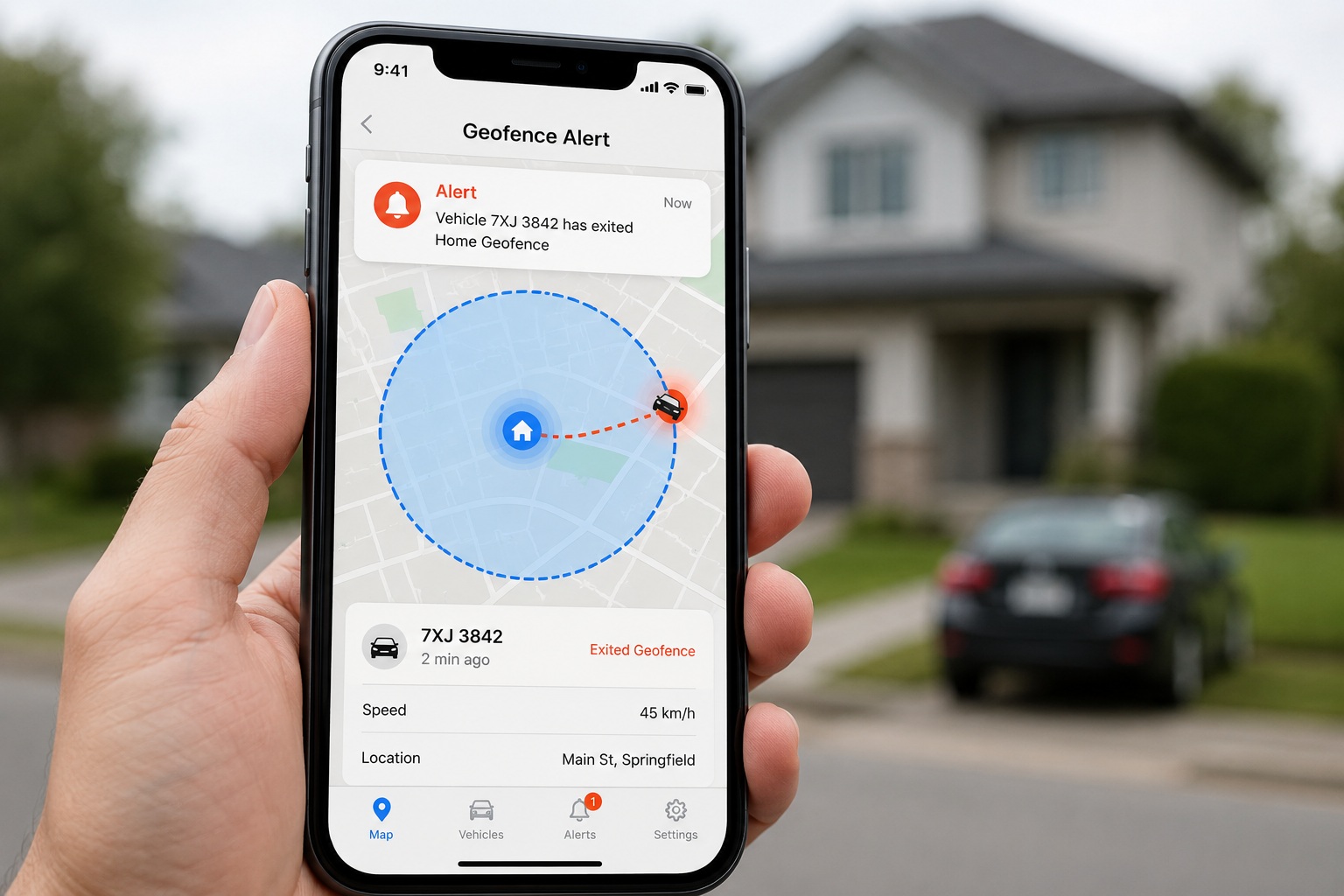
A geofence is an invisible virtual boundary you draw on a map using your GPS tracker's app. You choose a location — your home, your workplace, your child's school — and set a radius around it (for example, 500 meters).
When the tracked vehicle, person, or asset enters or exits that boundary, the GPS system detects it using real-time location data and instantly sends you an alert — a push notification, SMS, or email — depending on your settings.
It runs 24 hours a day, 7 days a week, completely automatically. You don't have to do anything once it's set up.
How Does GPS Geofencing Actually Work? (Technical Overview)
- The GPS tracker in your vehicle constantly receives location signals from satellites, calculating its exact coordinates every few seconds.
- Those coordinates are sent via 4G/LTE cellular network to the tracking platform's cloud server.
- The server compares the live location against your saved geofence boundaries in real time.
- The moment the coordinates cross a boundary line, the system triggers an alert and delivers it instantly to your phone.
- The whole process typically takes 5–15 seconds from the moment the vehicle crosses the line to when your phone buzzes.
Best GPS Trackers With Geofencing in 2026
| GPS Tracker | Geofence Alert Speed | Max Geofences | Price/Month | Best For |
|---|---|---|---|---|
| Bouncie Best Value | ~15 seconds | Unlimited | $8 | Cars, small fleet |
| LandAirSea 54 | ~5 seconds | Unlimited | $19.95 | Hidden / covert |
| Spytec GL300 | ~5 seconds | Unlimited | $24.99 | Personal tracking |
| Samsara Best for Fleet | ~5 seconds | Unlimited | $27+ | Business fleets |
| Tracki | ~10 seconds | Unlimited | $19.95 | Worldwide use |
| Optimus 2.0 | ~10 seconds | Unlimited | $19.95 | Vehicles, assets |
1. Bouncie — Best Geofencing for Cars & Small Business
Bouncie's geofencing is straightforward, reliable, and fast — alerts arrive on your phone within about 15 seconds of a boundary crossing. You can create unlimited geofences per vehicle, set them as circles or custom shapes, and choose whether to alert on entry, exit, or both. At just $8/month it's the most affordable option with professional-quality geofencing.
✅ Pros
- Unlimited geofences
- Entry & exit alerts
- Instant app notification
- Cheapest plan available
- Easy drag-and-drop setup
❌ Cons
- OBD-II port required
- 15-sec update (not fastest)
2. LandAirSea 54 — Fastest Geofence Alerts
LandAirSea 54 updates every 3 seconds — the fastest on this list — which means geofence alerts fire almost the instant a vehicle crosses a boundary. It's waterproof, magnetic, and completely hidden under a vehicle. Ideal for monitoring vehicles covertly or for theft recovery where every second matters.
✅ Pros
- 3-second update interval
- Near-instant geofence alerts
- Hidden magnetic placement
- Waterproof IP67
❌ Cons
- Higher monthly cost ($19.95)
- Battery needs recharging every 2–4 weeks
3. Samsara — Best Geofencing for Business Fleets
Samsara offers the most advanced geofencing for business use. You can create multiple zone types — job sites, restricted areas, customer addresses, fuel stations — and set different rules for each. Entry and exit events are automatically logged with timestamps, driver name, and vehicle details. This makes it easy to prove service delivery, monitor unauthorized after-hours use, and optimize routes.
How to Set Up Geofencing on Your GPS Tracker (Step-by-Step)
Setting up a geofence takes less than 5 minutes on any major GPS tracking platform. Here is exactly how to do it:
Open Your GPS Tracker App
Log into your tracking platform app (Bouncie, Samsara, LandAirSea, etc.) on your smartphone or desktop browser.
Navigate to the Geofence Section
Look for "Geofences", "Zones", or "Alerts" in the app menu. Most platforms have a dedicated geofence tool in the main navigation.
Draw Your Geofence on the Map
Search for the address or location you want to monitor. Draw a circle around it by setting a radius (e.g. 200 meters, 500 meters, 1 km). Some platforms let you draw custom polygon shapes for irregular boundaries like a car park or industrial estate.
Set Your Alert Trigger
Choose whether to alert on entry (vehicle arrives), exit (vehicle leaves), or both. You can also set time windows — for example, only alert on exits between 10pm and 6am.
Choose Your Alert Method
Select push notification (app), SMS, or email. We recommend enabling push notifications as your primary alert — they arrive fastest.
Name & Save the Geofence
Give it a clear name like "Home", "School", "Warehouse" or "Job Site A". Save and activate. The geofence is now live — no further action needed.
Test It
Drive the vehicle out of the geofenced area and confirm you receive an alert on your phone. If the alert doesn't arrive within 60 seconds, check your app notification permissions.
8 Smart Ways to Use GPS Geofencing
Home Security
Get alerted the moment your car leaves the driveway — day or night. Instant theft detection.
School Zone Alerts
Know when your child arrives at school and when they leave — without calling or texting them.
Job Site Monitoring
Confirm vehicles and equipment arrive at work sites on time and don't leave after hours.
Restricted Zone Enforcement
Block company vehicles from entering bars, competitors' premises, or unauthorized areas.
Elderly Parent Safety
Set a safe zone around your parent's home and get alerted if they wander beyond it.
Teen Driver Monitoring
Define allowed driving areas for new drivers and know instantly if they go outside those zones.
Asset Protection
Protect trailers, generators, and construction equipment from theft with geofence perimeter alerts.
Customer Arrival Alerts
Know automatically when a delivery driver arrives at a customer location — improve service transparency.
Types of Geofence Alerts You Can Set
📍 Entry Alert
Notifies you when a vehicle enters a defined zone. Useful for confirming delivery arrivals or detecting unauthorized access.
🚪 Exit Alert
Fires when a vehicle leaves a zone. Most commonly used for theft detection and monitoring teen drivers.
⏰ Time-Based Alert
Only sends alerts during specific hours — e.g. alert only if vehicle exits between 11pm and 5am. Reduces daytime noise.
⚡ Speed-in-Zone Alert
Triggers if a vehicle exceeds a speed limit inside a zone — great for school zones or warehouse areas.
Common Geofencing Mistakes to Avoid
- Making geofences too small: A 50-meter radius around your home may trigger false alerts when GPS signal fluctuates. Use 200–500 meters minimum for home zones.
- Not testing after setup: Always do a test drive to confirm alerts arrive correctly before relying on them.
- Ignoring time windows: If you get too many alerts, add time restrictions — most apps let you set alerts only during off-hours.
- Only using exit alerts: Entry + exit alerts together give you a complete picture of when and how long a vehicle was at a location.
- No backup alert method: Enable both push notifications and SMS so you don't miss critical alerts if your app is closed.
Frequently Asked Questions
Final Verdict
Geofencing is one of the most powerful — and most underused — features on GPS trackers. Once you set it up, it works silently in the background, alerting you only when something actually happens.
For most personal users and small businesses, Bouncie at $8/month delivers excellent geofencing at the lowest cost. If you need near-instant covert alerts, go with LandAirSea 54. For business fleet geofencing with advanced zone management, Samsara is the professional choice.
Set up your first geofence today — it takes less than 5 minutes and could alert you to a theft, an unauthorized trip, or a child leaving school right when it happens.
🛰️ Need a GPS tracker with geofencing for your vehicle?
MotoTechGPS offers professional GPS tracking devices with full geofencing support, real-time alerts, and expert installation across Bangladesh.